Summary
First-time users usually find the table top dot pin machine easier to start with. Hateng Laser’s HS107 is compact, simple, and listed with a public price of Rs. 85,000. The laser marking option is better for fine, non-contact work. Hateng says its laser setup uses EZCAD, red-light preview, and focus tools, which is powerful, but it needs more setup control.
Summary
A recent Smart Manufacturing Adoption Study found automation is already widely used, with 37% of survey respondents using it. That makes ease of operation a real buying factor, not a minor one.
First-time buyers often want one thing. They want a machine that works quickly, without long training. They also want fewer errors. They want clearer marks. And they want less fear on day one.
This guide answers that exact problem. You will see which machine is simplest, why it is simpler, and how to choose the right one for your shop. You will also get a practical comparison for Indian buyers looking at Hateng Laser.
Which table top marking machine is easiest for beginners?
For most first-time users, the table top dot pin machine is the easier choice. Hateng’s HS107 is presented as a compact table top model, and its setup guide walks users through unboxing, wiring, software installation, calibration, and testing in a clear sequence.
That matters for beginners. A machine feels easy when the workflow is obvious. The dot pin route is more direct because the operator follows a standard process from setup to marking.
By comparison, Hateng describes its laser machine as ready to use with EZCAD software, red-light preview, and focus tools. That is efficient, but it also introduces more parameter control. For a first-time user, that can feel less forgiving. This is an inference from Hateng’s own descriptions.
Simple verdict
If the goal is easiest operation, start with HS107 table top dot pin.
If the goal is high-detail coding and branding, choose the laser marking machine.
Why does the table top dot pin machine feel simpler?
The HS107 suits beginners because it is built around a straightforward physical process. Hateng says it creates strong, permanent indentations for industrial marking, and it is aimed at parts that need durable marks.
It is also cost-friendly. Hateng lists the HS107 at Rs. 85,000. That makes it a lower-risk first purchase for small shops and trial users.
The setup steps are practical, not abstract. You place the machine, connect power and USB, install the software, adjust the stylus height, and test on scrap material. That is familiar to many shop-floor teams.
What makes it beginner-friendly?
- Compact table top format
- No consumables during marking
- Clear step-by-step setup
- Lower starting price
- Durable marks for industrial parts
For many Indian workshops, that combination is ideal. It reduces hesitation. It also shortens the learning curve. Hateng’s own content from Bhiwandi, Maharashtra, reflects a focus on practical industrial use.
How does the laser marking machine compare for first-time users?
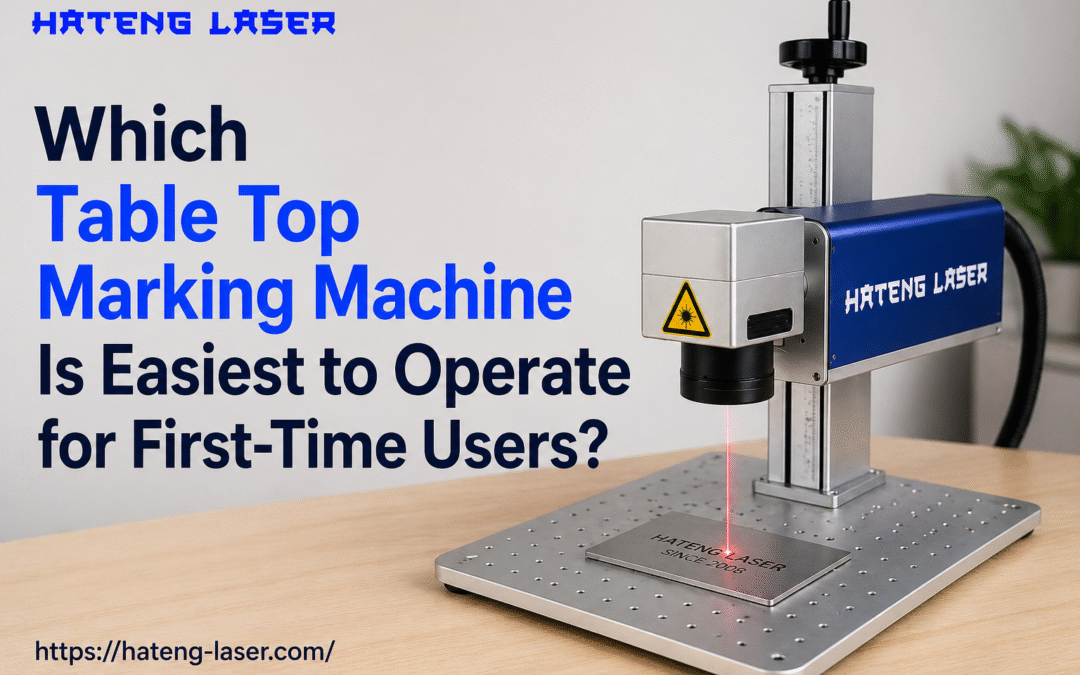
A laser marking machine is not hard to use. But it is usually less forgiving than dot pin. Hateng’s own content says its laser machine is ready to use, with EZCAD software, red-light preview, and focus tools. That shows strong usability. It also shows more setup detail.
Laser marking is best when you need clean codes, logos, or traceability marks. Hateng describes laser marking as high-precision and high-resolution. It is also non-contact, so there is no stylus wear.
That said, first-time users often need more confidence with focus, software, and part positioning. A laser machine can deliver excellent results, but the operator must pay closer attention. That is the main reason beginners often find dot pin easier. This is an inference from Hateng’s published setup notes.
Dot pin vs laser at a glance
| Factor | Table Top Dot Pin Machine | Laser Marking Machine |
| Ease for first-time users | Easier | Moderate |
| Setup style | Mechanical and direct | Software and focus driven |
| Mark type | Deep, permanent indentation | Clean, high-precision surface mark |
| Maintenance | Low and practical | Low, but optics need care |
| Best use | Serial numbers, part IDs | QR codes, logos, branding |
Which machine gives the best value for an Indian workshop?
For many Indian buyers, value means more than price. It means training time, maintenance, and output quality.
The HS107 is attractive for small and mid-scale shops because Hateng lists it at Rs. 85,000. The machine is also positioned for compact industrial marking.
Laser machines offer more visual flexibility. Hateng’s laser content highlights traceability, QR codes, and logos. That makes laser strong for branding-led factories and electronics work.
Pricing snapshot
| Model | Public price seen in Hateng content | Best use |
| HS107 Table Top Dot Pin Machine | Rs. 85,000 | Beginner-friendly industrial marking |
| HLF130 Laser Marking Machine | Rs. 1,60,000 | Higher-precision codes and logos |
For most first-time buyers, the lower entry cost and simpler workflow make the dot pin machine the stronger starting point. The laser machine becomes the better upgrade once marking needs become more specialised.
What features should first-time users check before buying?
Choose a machine by use case, not just by price. A beginner should look for a simple operating flow and strong after-sales support.
Check these features first
- Clear software instructions
- Easy part alignment
- Stable table top design
- Low maintenance requirements
- Local service and support
- Suitable marking on your material
- Simple test and calibration steps
Hateng positions itself as a marking and engraving specialist in India. It lists both table top dot pin and laser marking machines on its site. That makes it easier for buyers to compare options from one vendor.
For a new operator, the best machine is the one that reduces mistakes fast. That usually means fewer variables, fewer adjustments, and fewer surprises.
Which machine should you choose for your marking job?
Use this simple rule.
Choose dot pin when you need:
- Deep permanent marks
- Serial numbers
- Part IDs
- Rugged industrial components
- Lower learning effort
Choose laser when you need:
- QR codes
- Logos
- High detail
- Non-contact marking
- More polished visual output
A first-time user who wants less stress should start with the dot pin machine. A user who already knows their coding and branding needs may prefer laser. That is the practical split.
FAQ
Is a table top dot pin machine easier than a laser marking machine?
Yes. For most beginners, it is easier. Hateng’s dot pin setup guide is more direct, while its laser machine needs software, focus, and preview control.
Is the Hateng laser machine suitable for first-time users?
Yes, but mainly for users comfortable with software-based setup. Hateng says it is ready to use with EZCAD, red-light preview, and focus tools.
Which machine is better for serial numbers and part IDs?
The table top dot pin machine is usually better. Hateng describes HS107 as suitable for strong, permanent indentations on industrial parts.
Which machine is better for QR codes and logos?
The laser marking machine is better. Hateng highlights it for high-precision, high-resolution marks, including QR codes, Data Matrix codes, and logos.
Final verdict
For first-time users, the table top dot pin machine is usually the easiest to operate. It is simpler, cheaper to start, and easier to understand on day one. Hateng’s HS107 fits that brief well.
Choose the laser marking machine when your work demands cleaner codes, branding, and non-contact marking. It is powerful, but it asks for more setup confidence.
Book a demo with Hateng Laser and compare the right machine for your shop.