
By Hateng Laser | 10 min read
Most laser-marked QR codes that fail on metal come down to five things: low contrast, a code that’s too small for the scanner, a missing quiet zone, a mark that’s out of focus, and glare from a shiny surface. Fix those and nearly every code reads. If your codes have to survive heavy wear, painting or blasting, a dot pin marking machine making a recessed Data Matrix code can be the sturdier choice.
Key insights
- Scanners read contrast, not depth: a deep mark with poor contrast still fails.
- Size has to match the scanner: tiny modules need a scanner that can resolve them.
- The quiet zone is part of the code: crowd it with text or an edge and the code won’t decode.
- Shiny metal fights the scanner: glare washes out the mark, so lighting and finish matter.
Before you go
Always test codes with the scanner your customer will use, at the distance and angle they’ll use it. A code that reads on your phone at the bench can still fail on a fixed reader on their line.
You’ve marked a batch of parts with QR codes, the codes look sharp, and then the scanner just beeps and does nothing. Or it reads one part and not the next. Or it works on your phone but not on the customer’s line.
It’s one of the most common frustrations with code marking on metal, and the good news is it’s rarely a mystery. Codes fail for a short list of reasons, and each one has a clear fix.
Let’s go through why laser-marked codes fail on metal, how to fix each problem, and when a dot pin code is the better option for the job.
Why do laser-marked QR codes fail on metal?
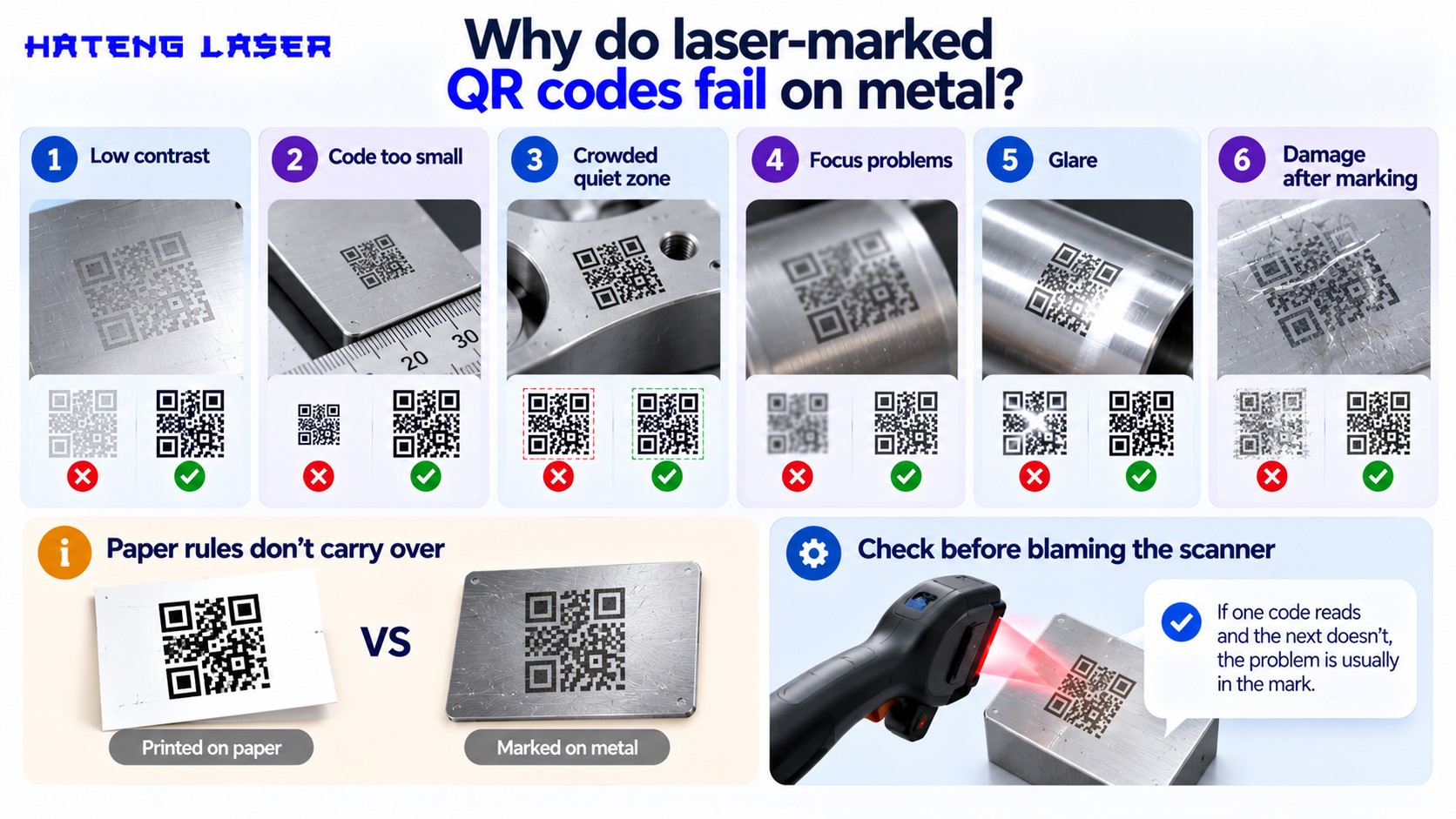
Here’s the quick list. We’ll go through each one below.
The usual suspects
Low contrast, codes that are too small, a crowded quiet zone, focus problems, glare, and damage after marking. Most failures are one of these, sometimes two together.
Paper rules don’t carry over
QR codes were designed for printing in black and white, with a clear margin around them. Metal gives you grey on grey, reflections and texture, so the same code needs more care.
Check before blaming the scanner
Scanners do vary, but if one code reads and the next doesn’t, the problem is usually in the mark.
| Symptom | Likely cause | First fix |
| Won’t read at all | Low contrast or out of focus | Check focus, then tune settings for darker mark |
| Reads on phone, not on line reader | Code too small or wrong angle | Make modules bigger, check reader specs |
| Reads sometimes | Glare on shiny metal | Change lighting angle, matte the surface |
| Reads at bench, fails later | Damage, coating or wear | Mark deeper or use a recessed method |
| Corners don’t decode | Quiet zone crowded | Clear space around the code |
| Some parts fine, some not | Part height or position varies | Use a fixture to hold height steady |
Is contrast the problem?
Contrast is the number one reason codes fail. A scanner needs to tell dark modules from light ones.
Bare steel and stainless
On steel and stainless, annealing gives a dark mark on a light surface, which scans well. A light surface mark often gives a pale grey that’s too close to the background.
Aluminium
Bare aluminium tends to give lighter marks. Tune your settings for the darkest mark you can get, or mark on an anodised area, where the laser gives a bright mark on a dark background.
Coated parts
On painted or anodised parts, removing the coating gives strong contrast as long as the coating comes off cleanly. Leftover coating in the modules makes them patchy.
Is the code too small?
A code can look fine to your eye and still be too small for the scanner.
Module size is what counts
Each small square in the code is a module. The scanner has to see each module clearly. Small codes with lots of data have tiny modules that some scanners can’t resolve.
Less data means bigger modules
Shorter content makes a smaller code grid, so each module can be bigger in the same space. A short serial number or a short URL scans far more reliably than a long string.
Check the reader’s limits
Fixed readers on a line often have a set minimum module size. Ask your customer what their scanner needs before you set the code size.
Is the quiet zone crowded?
This one’s easy to miss, and easy to fix.
What the quiet zone is
QR codes need a clear margin around them so the scanner can find the edges. Denso Wave, the company that created the QR code, says the code needs a clear margin four modules wide on all sides.
What crowds it
Text marked too close, the edge of the part, a hole, a weld or a logo can all eat into that margin.
The fix
Leave clear space all round the code. If the part is tight on space, a smaller code with less data might fit better than a big code with no margin.
Is it a focus problem?
Out-of-focus marks look fuzzy, wide and faint. Scanners hate them.
Part height changes
If parts sit at slightly different heights in the machine, some will be in focus and some won’t. That’s the classic “some parts read, some don’t” problem.
Fix it with a fixture
A simple fixture that holds every part at the same height under the lens fixes most focus-related failures on a table top marking machine.
Use the preview
On Hateng Laser’s HLF30, the red light preview and focus tool help you set the right height and position before you mark.
Is glare getting in the way?
Shiny metal reflects the scanner’s light straight back, washing out the code.
Change the angle
Tilting the scanner a little often fixes glare straight away. If your customer scans at a fixed angle, test at that angle.
Matte the area
A light surface treatment or a laser-textured background around the code can cut reflections.
Light it better
Diffuse lighting on a fixed reader reduces hot spots from reflections far better than a single direct light.
| Surface | Contrast | Glare risk | Tip |
| Polished stainless | Good with annealing | High | Matte the background or angle the scanner |
| Machined steel | Good | Medium | Annealed dark mark works well |
| Bare aluminium | Lower | High | Tune for darker marks |
| Anodised aluminium | Excellent | Low | Clean removal of the dye layer |
| Painted or powder coated | Excellent | Low | Remove coating cleanly from every module |
What if the code gets damaged later?
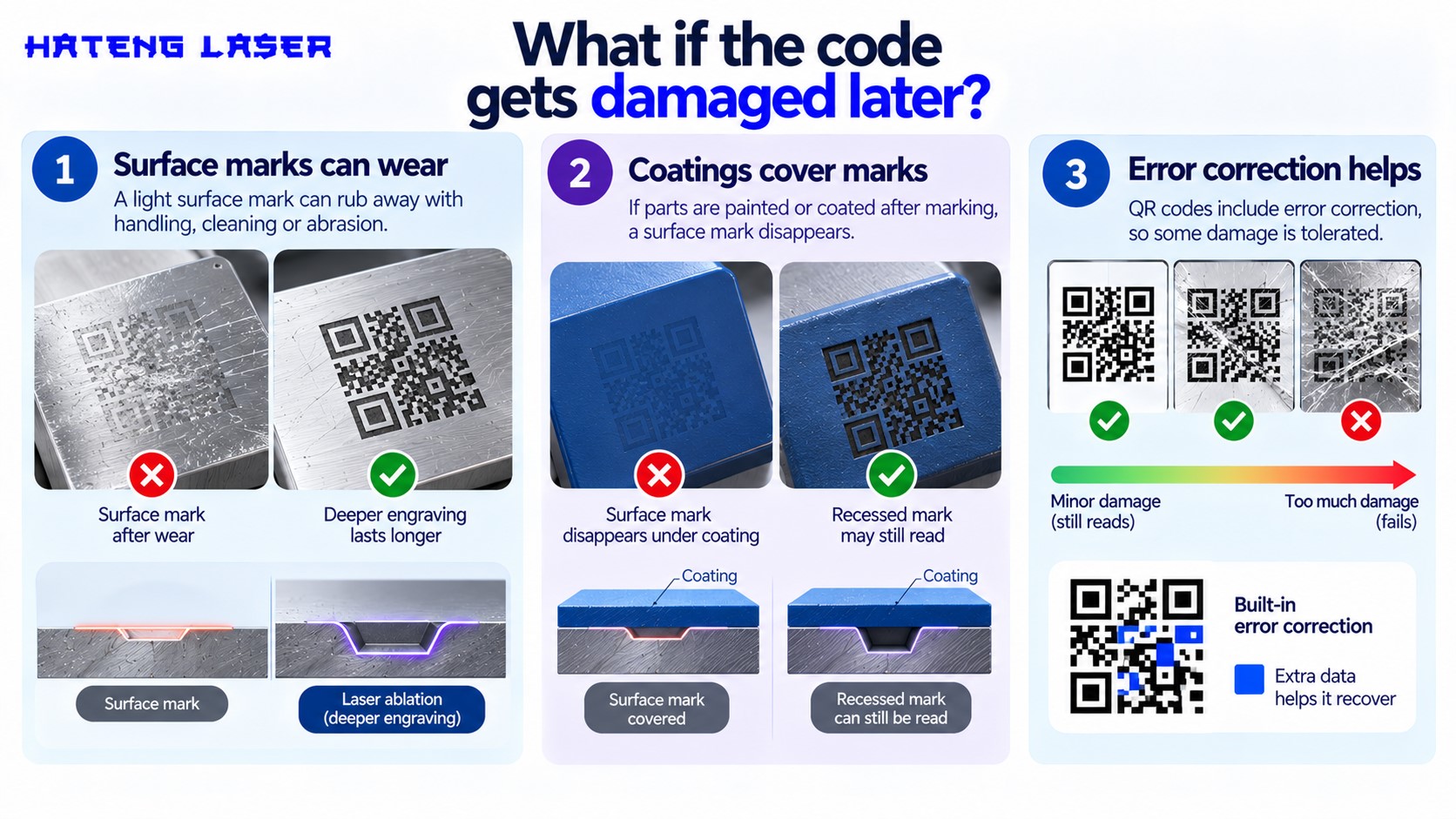
Some codes read perfectly on day one and fail after the part goes through its life.
Surface marks can wear
A light surface mark can rub away with handling, cleaning or abrasion. Deeper engraving lasts longer. In laser terms, that’s laser ablation, where material is removed rather than just discoloured.
Coatings cover marks
If parts are painted or coated after marking, a surface mark disappears. A recessed mark may still read through a thin coat, depending on the coating and the scanner.
Error correction helps, up to a point
QR codes include error correction, so some damage is tolerated. That’s a safety margin for wear, not a fix for a poor mark.
When is a dot pin code the better choice?
Lasers make great codes, but a dot pin marking machine has its place too.
Dot pin makes physical recesses
A dot pin machine strikes the surface to make small dimples. The code is physical, so it reads by the shadows the dots create, not by colour change.
Better for rough and later-coated parts
Rough castings, parts that get painted or blasted, and parts that see heavy wear often hold a dot pin code better than a light laser mark.
Data Matrix suits dot pin better than QR
Dot pin codes are most often Data Matrix rather than QR, because Data Matrix handles round dots well. If your customer can read Data Matrix, it’s worth considering.
Where the HS107 fits
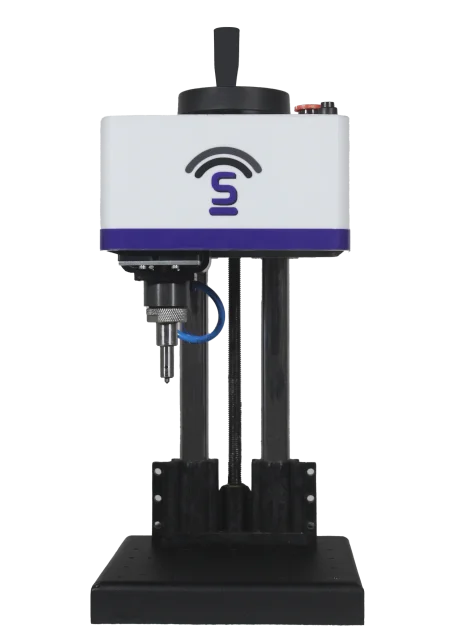
Hateng Laser’s HS107 table top dot pin machine is our dot pin option for bench marking. If you need it for 2D codes, send us your part and code size, and we’ll confirm what it can mark before you decide.
| Factor | Laser-marked code | Dot pin code |
| Reads by | Contrast | Shadows in recesses |
| Fine detail | Excellent | Good |
| Survives painting or blasting | Only if deep | Often better |
| Speed | Fast | Slower per code |
| Best code type | QR or Data Matrix | Data Matrix usually |
How do you check codes before they ship?
A quick checking routine saves a lot of returned parts.
Test with the real scanner
Use your customer’s scanner model, or the same type, at their distance and angle.
Check the first, the middle and the last
Part height, focus and settings can drift through a batch. Scan a few from across the run, not just the first one.
Test after every process
If parts are washed, coated or assembled after marking, scan them again after that step. Our piece on how laser marking improves traceability and branding explains why that end-to-end readability matters to your customers.
Wrapping up
Laser-marked codes that won’t scan are frustrating, but they’re rarely a mystery. Check contrast first, then size, quiet zone, focus and glare. Most failures sit in one of those five, and each has a simple fix, from tuned settings to a basic fixture.
If your parts get blasted, painted or knocked around after marking, think about whether the code needs to be recessed, either deep-engraved with a laser or made with a dot pin machine as a Data Matrix code.
Send Hateng Laser a few of your parts and your customer’s code requirements. We’ll mark test codes on the HLF30, check that they scan, and tell you if a dot pin approach would suit the job better.
FAQs
Why won’t my laser-marked QR code scan?
The usual causes are low contrast, a code too small for the scanner, a crowded quiet zone, an out-of-focus mark, or glare from shiny metal. Check focus and contrast first, since they cause most failures on metal parts.
How big should a QR code be on a metal part?
Big enough that each module is clearly visible to your customer’s scanner. Keep the content short so modules stay larger, and check the scanner’s minimum module size before setting the code size on the part.
What is the quiet zone on a QR code?
It’s the blank margin around the code that helps the scanner find its edges. The QR specification calls for four modules of clear space. Text, edges or holes inside that margin can stop the code from decoding.
Can a dot pin marking machine mark QR codes?
Some can, but dot pin machines more often mark Data Matrix codes, which handle round dots better. Check the specific machine’s software and test on your parts before relying on it for QR codes.
Why do some laser-marked codes scan and others don’t?
Usually because part height or position varies between parts, so some marks are in focus and some aren’t. A fixture that holds every part at the same height under the lens normally fixes it.
Is a table top marking machine better for codes than a handheld?
Generally yes. A table top marking machine holds focus and position steady, which is exactly what small, precise codes need. Handhelds can mark codes, but consistency depends much more on the operator.